How Can Smart Switches Support Smart Home Automation?
How Can Smart Switches Support Smart Home Automation?
Key Takeaways
- Smart switches connect everyday lighting and compatible appliances to your smart home system.
- A Wi-Fi smart switch can let you manage connected devices remotely through a mobile app.
- Timers and schedules can automate when devices switch on or off according to your routine.
- Voice assistants such as Google Home can provide hands-free operation for compatible smart switches.
A light switch seems simple enough. You press it, the lights turn on. Press it again, and they turn off. But what if your switches could do more?
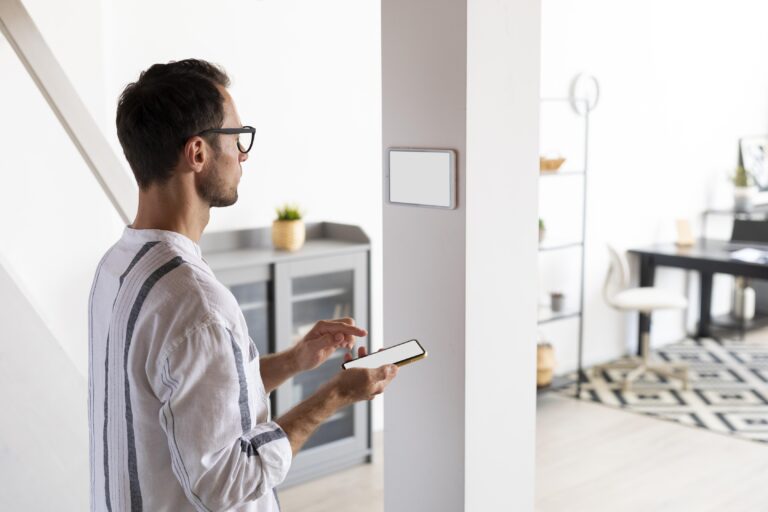
With smart switches, everyday electrical functions can become part of a connected smart home. Instead of relying entirely on manual switching, you can use an app, voice commands, timers, schedules, and automation to manage compatible lighting and appliances around your daily routine.
For homeowners looking to introduce smart home automation without overhauling their entire property, smart switches can be a practical place to start.
Möwe’s smart switches connect with the iAppliances App and compatible voice assistants, giving you more ways to manage your lighting and compatible appliances while creating routines that work around your schedule.
What is a smart switch?
A smart switch is a connected wall switch that allows you to operate compatible electrical devices through a smart home system.
Unlike a traditional switch that only responds when someone physically presses it, a smart switch can connect to an app or compatible smart home platform. With Möwe’s Single Rocker Series Smart Switch, you can:
- Remotely switch connected devices on or off through the iAppliances App
- Use compatible Google Home voice commands
- Set timers and schedules
- Create automation routines
This turns a familiar household feature into another connected part of your smart home appliances ecosystem.
How do smart switches support smart home automation?
Smart home automation is essentially about getting connected devices to respond to your routines without requiring you to operate each one manually. Smart switches contribute to this in several ways.
1. Automate Everyday On and Off Routines
One of the simplest forms of automation is scheduling.
Instead of remembering to switch a device on or off at a particular time, you can create a schedule through the iAppliances App.
For example:
Morning routine
7:00 AM → Switch on selected lighting
Evening routine
6:30 PM → Switch on living room lighting
Bedtime routine
11:00 PM → Switch off selected devices
Once configured, these routines can run automatically according to your schedule.
2. Manage Devices Remotely
A connected switch can give you access to your devices even when you are away from home.
Forgot to switch something off before leaving for work? You can check and manage compatible connected devices through the app.
This can be particularly useful for busy households where routines change throughout the day.
3. Add Voice Operation
Möwe’s Single Rocker Series Smart Switch works with Google Home, allowing compatible devices to respond to voice commands.
Instead of reaching for the wall switch, you can use a voice command to switch connected lighting or appliances on and off.
This can be useful when your hands are occupied, when you are already comfortable on the sofa, or when you want to incorporate voice operation into an existing smart home routine.
4. Create More Consistent Routines
Automation is not only about convenience. It can also help make everyday routines more consistent.
For example, you can schedule selected lights to switch off at bedtime or have connected devices operate according to the times you typically use them.
Rather than relying on memory, your smart home automation system can handle repetitive switching for you.
Where can you use smart switches?
Smart switches can be useful throughout the home, depending on the electrical devices they are connected to.
Living Room
Automate lighting according to when you usually relax, entertain, or settle down for the evening.
Bedroom
Schedule lighting around your morning and bedtime routines.
Kitchen
Manage compatible lighting or appliances according to your cooking and meal-preparation schedule.
Bathroom
Schedule compatible lighting or connected appliances to operate during specific periods.
Other Areas
Smart switches can also be useful in home offices, utility areas, and other spaces where you regularly switch connected devices on and off.
The key is to identify repetitive tasks that could benefit from automation rather than installing smart switches simply for the sake of adding more technology.
Can smart switches help you save energy?
They can help you manage energy use more thoughtfully, but a smart switch does not automatically reduce the amount of electricity a device consumes. The potential benefit comes from how you use automation. Timers and schedules can help prevent connected devices from being left on longer than necessary. Remote operation also means you can switch compatible devices off when you realise they are still running.
For example, you could schedule selected lights to switch off after your household typically goes to sleep instead of leaving them on throughout the night. Your actual energy savings will depend on the devices connected to the switch, their power consumption, and how your household uses them.
What is a Wi-Fi smart switch?
A Wi-Fi smart switch connects to your home’s Wi-Fi network and allows you to access compatible smart functions through a connected app or smart home platform.
Wi-Fi is one of several connectivity options used in smart homes. When choosing a smart switch, consider how it connects, which apps and ecosystems it supports, and whether it is compatible with your existing setup. For Möwe users, the iAppliances App provides access to functions such as remote operation, timers, scheduling, and automation.
What should you consider before installing a smart switch?
Before upgrading your traditional switches, consider a few practical factors.
Wiring
Check whether your existing electrical wiring is suitable for the smart switch. Some smart switches may have specific wiring requirements.
Compatibility
Make sure the switch is compatible with the devices you intend to connect and the smart home ecosystem you already use.
Connectivity
Consider whether the switch uses Wi-Fi, Zigbee, RF, or another communication protocol, and whether it fits your existing smart home network.
Installation
Electrical products may require professional installation. If you are unsure about your home’s wiring or installation requirements, consult a qualified installer.
Automation Needs
Think about what you actually want to automate. A smart switch is most useful when it solves a specific everyday need, such as scheduled lighting or remote operation.
How can smart switches fit into a Singapore smart home?
For many smart homes in Singapore, automation starts with small improvements rather than a complete transformation.
You might begin with lighting in the living room, then add scheduled bedroom lighting, connected appliances, security devices, sensors, or other smart home appliances as your needs evolve.
This gradual approach lets you build your smart home around the way you actually live.
For example:
Start small
Install a smart switch for frequently used lighting.
↓
Add automation
Create schedules for your daily routine.
↓
Connect more devices
Add smart appliances, sensors, lighting, and security solutions.
↓
Build your ecosystem
Combine multiple devices into scenes and automated routines.
This is where smart switches become particularly useful: they can form one of the basic building blocks of a connected home.
What could a smart switch automation look like?
Imagine your evening routine after a long day at work.
At 6:30 PM, your scheduled lighting switches on.
At 10:30 PM, your bedtime routine begins.
At 11:00 PM, selected lights switch off automatically.
If your plans change, you can still manage compatible devices remotely through the iAppliances App.
You could also use Google Home voice commands when you want to switch a connected device on or off without reaching for the wall.
None of these actions requires complicated programming. You simply configure your preferred schedules and automation through the app.
Contact Us
You do not need to automate every part of your home to start living smarter. Smart switches offer a straightforward way to connect everyday electrical functions to your smart home automation system. With remote operation, voice commands, timers, scheduling, and automation, a familiar wall switch can become part of a more responsive home.
For homeowners looking to build smart living into their everyday routines, it can be a small change with practical benefits. Möwe’s smart switches give you more ways to manage everyday lighting and compatible appliances while creating routines that work around your life.
RECENT POST