How Do You Know If Your Android Phone Is Compatible With a Universal IR Remote Controller?
How Do You Know If Your Android Phone Is Compatible With a Universal IR Remote Controller?
Key Takeaways
- Not every Android phone has an infrared (IR) blaster, even if it supports remote-control apps.
- A built-in IR blaster allows your phone to send infrared signals to compatible appliances.
- Phones without an IR blaster may still work with a universal IR remote controller that connects through a separate accessory.
- Compatibility depends on your phone, the remote controller and the appliance you want to operate.
- Checking the specifications before purchasing can help you avoid unnecessary accessories.
Imagine being able to control your air conditioner or television using your Android phone instead of searching for several remote controls. A universal IR remote controller can make this possible, but there is one detail worth checking first- can your phone actually transmit infrared signals?
Understanding Android IR remote compatibility helps you determine whether your existing phone can work with a universal remote controller or whether you need an additional device.
Does Your Android Phone Have an IR Blaster?
similar to those sent by many conventional remote controls. Some Android phones include this hardware, while others do not. Having an Android operating system alone does not mean your phone can control infrared appliances directly. To check your phone,
- Look at the manufacturer’s specifications- Search for terms such as “IR blaster”, “infrared transmitter” or “infrared remote control”.
- Check the phone’s physical design- Some phones with an IR blaster have a small transmitter near the top edge, although its appearance and position vary.
- Review the manufacturer’s support information- This can help confirm whether the feature is built into your particular model.
Avoid relying on the phone’s appearance alone. A small opening may serve another purpose, and not every phone with a remote-control app has an IR transmitter.
What If Your Phone Has a Remote-Control App but No IR Blaster?
This is where confusion often arises. Downloading a universal remote app does not automatically give your phone infrared capabilities.
An app provides the instructions for controlling an appliance, but the phone still needs suitable hardware to transmit those instructions.
If your Android phone does not have a built-in IR blaster, you may have other options,
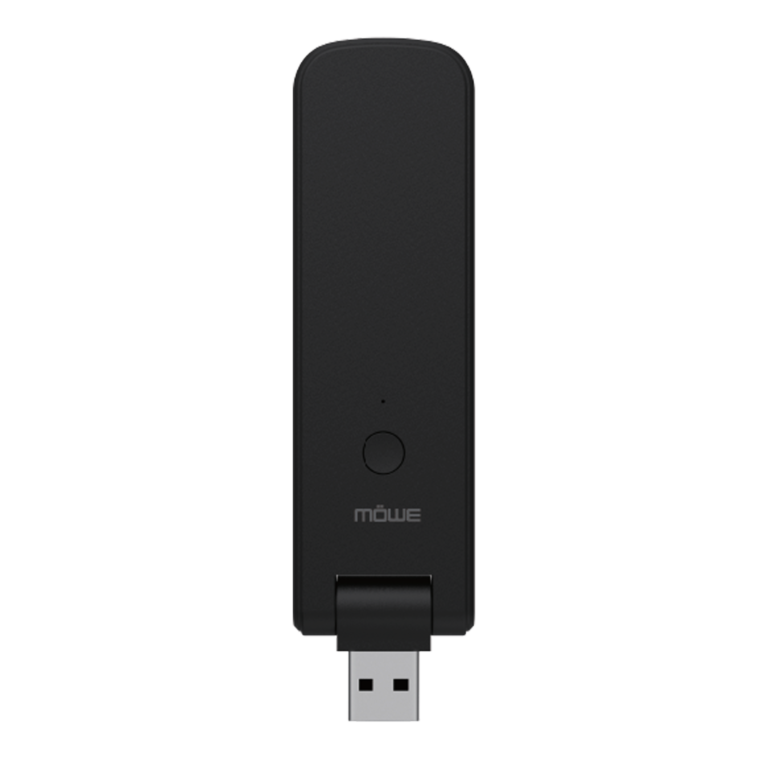
- An external IR transmitter- A compatible accessory can provide the infrared hardware your phone lacks.
- A Wi-Fi-enabled smart appliance- Certain appliances can be controlled through their own apps or compatible smart-home systems without infrared.
- A separate smart IR controller- Depending on the product, a standalone controller may connect to your home network and send infrared commands to compatible appliances.
Each option has different setup requirements. Check whether the accessory supports your phone’s connection type, operating system and intended appliances before purchasing it.
Will a Universal IR Remote Controller Work With Every Appliance?
Not necessarily. Even when your phone and controller are compatible, the appliance must also support the controller’s commands.
Many conventional televisions and air conditioners use infrared remote controls. However, some appliances rely on radio-frequency signals, Bluetooth or Wi-Fi instead.
Before choosing a controller, check,
- Appliance compatibility- Does the controller support your television, air conditioner or other device?
- Command availability- Does it support the functions you need, such as changing the temperature or adjusting the volume?
- Signal range and positioning- Infrared generally requires a clear path between the transmitter and the appliance’s receiver.
- Setup requirements- Some controllers require an app, a network connection or manual selection of the appliance model.
These details matter because a controller may operate basic functions without supporting every feature of the original remote.
Frequently Asked Questions
- Can all Android phones use a universal IR remote controller?
No. Phones without an IR blaster cannot transmit infrared signals directly. However, a compatible external transmitter or separate smart IR controller may provide an alternative.
- How can I check Android IR remote compatibility before buying?
Check your phone’s official specifications, then compare the controller’s requirements with your phone model, operating system and intended appliance.
- Does a universal remote app work without an internet connection?
It depends on the setup. A phone with a built-in IR blaster and a suitable app may control compatible appliances locally. Wi-Fi-based controllers and some accessories may require additional connectivity or configuration.
- Can I control an air conditioner with my Android phone?
Potentially, yes. Your phone needs a suitable infrared transmitter or compatible external controller, and the air conditioner must support the controller’s commands.
- Is a phone with an IR blaster always the better choice?
Not necessarily. A built-in IR blaster can simplify setup, but an external or standalone controller may offer a practical alternative. The right option depends on your existing devices and how you want to use them.
Schedule a consultation and choose the Right Remote-Control Solution
Checking compatibility before buying can save you time and help you choose a controller that suits your devices. Start with your Android phone’s specifications, confirm the controller’s connection requirements and verify that it supports the appliances you intend to operate.
If you are exploring universal remote-control solutions for your home, Mowe can help you understand the features to consider when comparing available options. Review the compatibility requirements of your chosen product before making a purchase.
RECENT POST